
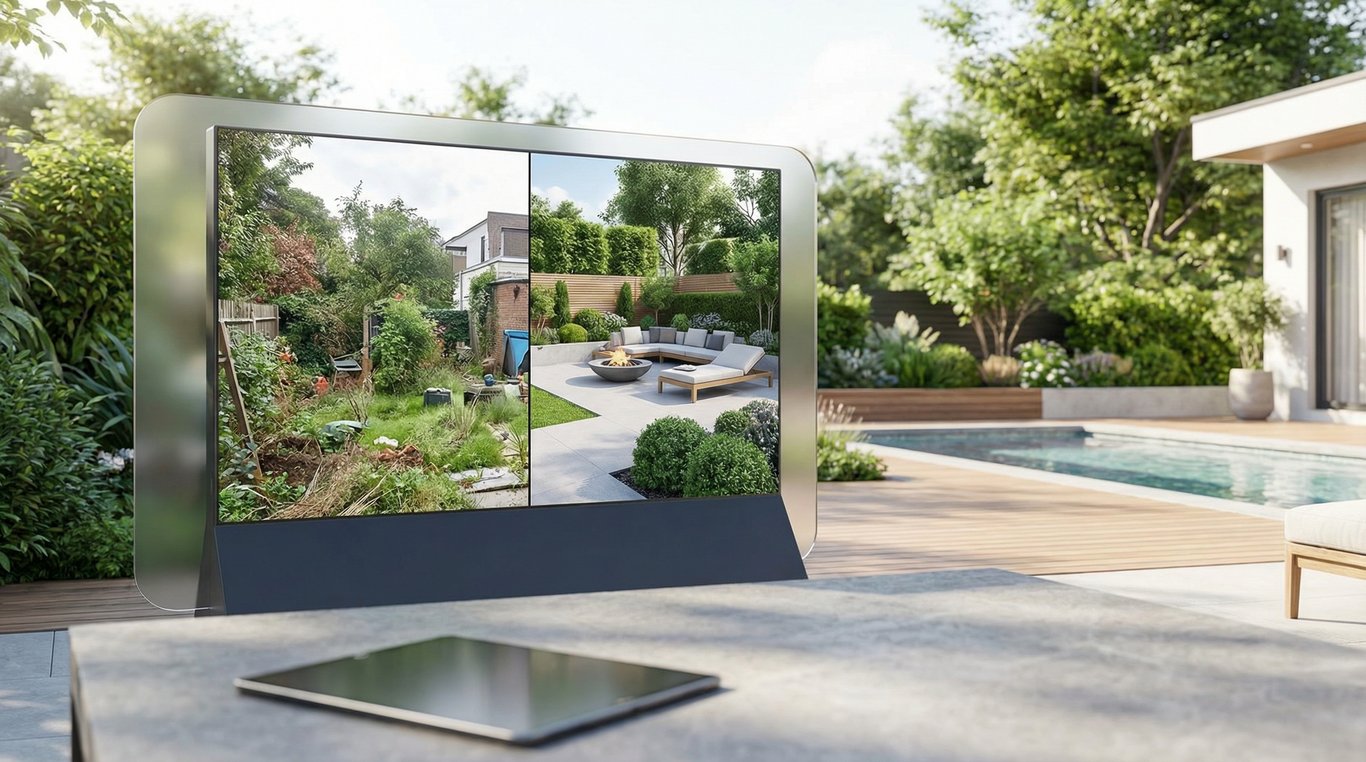

Backyard photos can make or break a listing—especially when the yard is empty, messy, out of season, or hard to visualize. Backyard AI helps you generate conceptual “after” visuals from existing listing photos so buyers can quickly understand outdoor potential.
This guide focuses on real estate-friendly workflows: MLS-safe disclosure language, what to prep before generating images, copy/paste prompt templates, and common pitfalls to avoid.
If you’re looking for broader design inspiration (not specifically for listings), see this deeper dive on AI backyard design.
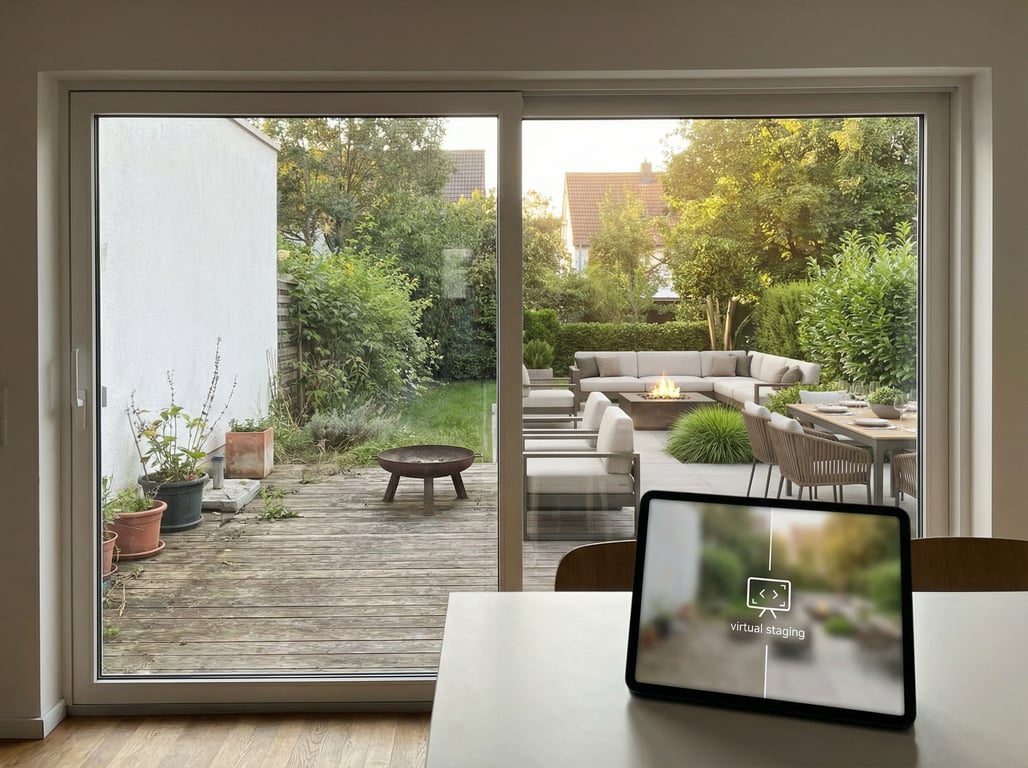
What “Backyard AI” means in real estate marketing
In listing marketing, “backyard AI” usually means creating photorealistic, conceptual backyard upgrades (landscaping, patios, lighting, pools, staging) based on a real property photo—without physically changing the yard.
It’s most useful when you need to sell the idea of an outdoor lifestyle fast: entertaining space, privacy, low-maintenance options, or curb-appeal improvements.
AI visualization vs. actual remodeling
Backyard AI is a visualization tool, not a construction plan.
- AI visualization: shows a plausible “after” look for marketing and inspiration.
- Remodeling/landscaping work: requires site measurements, permits (sometimes), drainage considerations, and contractor estimates.
A helpful way to frame it to clients: AI images are like a “concept rendering.” If you want to clarify roles further, compare AI visuals to what a digital media renderer for real estate does (often more controlled, rule-based, and manually refined).
When buyers benefit most (outdoor condition, seasonality, empty yards)
Backyard visualization for listings tends to perform best when the current photos are:
- Seasonal: snow, mud, dormant grass, bare trees
- Vacant/empty: big yard but no reference point for use
- Cluttered or dated: mismatched pavers, worn lawn, patchy planting
- Hard to parse: sloped yard, odd corners, no clear “zone” for dining/lounge
In these cases, AI can provide multiple style options (modern, family-friendly, drought-tolerant) so buyers self-select what fits.
Top backyard AI use cases for listings
These are the highest-ROI, lowest-risk concepts for real estate marketing because they improve perception while staying clearly “visual-only.”
Curb-appeal packages (lawn, lighting, planting)
Fast, universally appealing upgrades that make the yard feel cared for:
- Fresh sod/healthy lawn (even green coverage)
- Defined planting beds with mulch/edging
- Simple pathway and subtle landscape lighting
- Pruned shrubs and a cleaner tree canopy
Tip: keep “after” concepts realistic for your market’s typical maintenance level.
Patio & entertaining zone concepts
Great for turning a blank rectangle of grass into a story:
- Paver or concrete patio + outdoor dining
- Pergola/shade sail for a focal point
- Built-in bench seating or fire pit zone
- BBQ/outdoor kitchen (light touch; avoid overpromising)
Pool / spa concepts (visual only)
Pool concepts can drive clicks, but they’re also easy to misunderstand. If you use them:
- Label clearly as a conceptual visualization
- Avoid dimensions, engineering details, or “install-ready” language
- Keep materials plausible for the region and lot size
Privacy + fencing concepts
Privacy is a major buyer motivator and a safe visualization category:
- Horizontal wood fence, vinyl fence, or wrought iron style
- Hedge line, tall ornamental grasses, or tree screening
- Strategic trellis panels or pergola privacy slats
Low-maintenance / drought-tolerant yard concepts
This is ideal for markets where water costs and maintenance matter:
- Xeriscape gravel + native plants
- Drip irrigation implied (not shown as a system plan)
- Reduced turf area with defined hardscape paths
Free vs paid note: you can experiment with free AI landscape design tools, but listing-grade results usually require better control over realism, consistency, and artifact cleanup.

How to prep photos for better AI backyard results
Backyard AI is only as good as the input. Use this quick prep checklist before generating visuals.
Best angles and lighting
Aim for photos that look like your “hero” listing shots:
- Shoot from corners to show depth and boundaries
- Capture horizon/treeline/fence line (helps AI define edges)
- Use bright, even light (morning/late afternoon; avoid harsh noon shadows)
- Keep the camera level; avoid extreme wide-angle distortion
If you can, shoot one wide establishing shot and one mid-range shot of the main entertaining area.
What to remove/avoid (people, license plates, reflections)
Remove or avoid elements that create compliance issues or confuse the model:
- People (especially children), personal photos, mail/packages
- License plates, house numbers (if privacy requires)
- Mirrors/glass reflections that introduce weird geometry
- Pets, leashes, toys that can morph into artifacts
Also avoid heavy overlays: watermarks, giant text banners, or stickers.
Resolution basics and cropping
- Start with the highest-resolution original you have.
- Crop to emphasize the yard area you want to transform, but leave enough context (fence lines, patio edges) so the AI keeps perspective.
- Avoid “over-cropping” that removes the ground plane—AI needs a clear surface to place hardscape.
Prompt templates for backyard AI (copy/paste)
Good prompts are specific about style, materials, and constraints while staying honest about the starting photo.
Prompt structure that works:
- Setting + style
- What to add/change (and what to keep)
- Materials/colors
- Lighting/time of day
- Realism constraints (photorealistic, true-to-perspective)
Modern backyard prompt
Copy/paste:
Create a photorealistic modern backyard renovation concept for this exact photo. Keep the house and fence lines unchanged. Add a clean concrete patio, minimalist black outdoor furniture, rectangular planters with ornamental grasses, and subtle pathway lighting. Natural daylight, realistic shadows, true perspective, high detail.
Family-friendly prompt
Copy/paste:
Photorealistic family-friendly backyard concept based on this photo. Keep existing structures and lot shape. Add a medium-size paver patio with a dining table, a small grass play area, a simple swing set in the back corner, and low-maintenance shrubs along the fence. Bright natural light, realistic materials, no exaggerated elements.
Low-water landscaping prompt
Copy/paste:
Photorealistic drought-tolerant backyard concept from this photo. Keep the house, fences, and overall layout. Reduce lawn area and replace with gravel, native plants, drought-tolerant shrubs, and a stepping-stone path to a small seating area. Warm neutral tones, realistic shadows, natural daylight, true-to-scale.
Luxury patio prompt
Copy/paste:
Create a high-end backyard entertaining concept for this photo (visualization only). Keep the existing house and boundaries. Add a large stone paver patio, pergola with outdoor lounge seating, built-in grill island, and modern planters. Photorealistic, premium materials, realistic lighting, no text, no logos.
Night lighting prompt
Copy/paste:
Generate a photorealistic twilight backyard concept using this photo as the base. Keep the property lines and structures unchanged. Add warm landscape lighting along the path and planting beds, soft patio string lights under a pergola, and subtle accent uplighting on trees. Realistic night exposure, natural shadows, no over-glow.
Before/after examples: what to show (and what not to promise)
Before/after visuals can increase engagement, but only if they’re presented responsibly.
Disclaimers for listings
Use clear, repeatable disclosure language anywhere the AI image appears (MLS remarks, private remarks if needed, flyers, socials).
Sample disclosure (adapt to your brokerage and MLS rules):
- “AI-enhanced backyard visualization. Image is a conceptual rendering and not a representation of the property’s current condition.”
If you’re creating multiple concepts, label them by intent:
- “Concept A: Modern patio + lighting (AI visualization)”
- “Concept B: Low-water landscape (AI visualization)”
Common AI artifacts to watch for
Do a quick quality check before publishing:
- Warped fence lines, leaning trees, or melted hardscape edges
- Repeating textures (copy-paste grass, identical shrubs)
- Impossible shadows (light direction mismatch)
- Floating furniture, stairs to nowhere, doors that don’t align
- Pools/spas that ignore grade changes or lot geometry
If you see artifacts, revise the prompt with constraints like “keep fences straight,” “no floating objects,” “true perspective,” and “realistic scale.”
Backyard AI vs. AI landscape design: what’s the difference?
These terms overlap, but the intent behind them is different—especially in search.
Terminology buyers search
- Backyard AI often implies quick “before/after” concepts and lifestyle visualization.
- AI landscape design tends to imply broader planning across front/back yards, plant palettes, and a more design-forward intent.
If you want to target the broader term in content, see our guide to AI landscape design.
When to target each in content/ads
Use backyard AI when your marketing goal is:
- Visual upgrades for a specific listing photo
- Backyard visualization for listings and ad creatives
- Faster turnaround and multiple style options
Use AI landscape design when your goal is:
- Wider property transformation concepts (front + back)
- Homeowner-oriented planning content
- More evergreen educational guides
For a real-estate-specific breakdown of the two, reference: AI landscape design vs AI backyard design.
Key takeaways
- Keep the article framed around listing marketing visuals and conceptual renovations (not construction advice).
- Include clear disclosure language: visuals are conceptual and not a representation of current condition.
- Emphasize quick turnaround and multiple style options as marketing advantages.
- Add a mini checklist agents can follow before ordering/creating visuals.
FAQ
What is backyard AI?
Backyard AI is the use of AI to generate conceptual “after” visuals of an outdoor space from a real photo—helping buyers imagine improvements for a listing.
Is backyard AI the same as AI landscape design?
Not exactly. Backyard AI is usually listing-focused visualization of a specific yard photo, while AI landscape design is broader and more planning-oriented across the property.
Can I use AI backyard images in an MLS listing?
Often yes, but rules vary by MLS and brokerage. Use clear disclosure (conceptual/AI-enhanced) and avoid implying the image reflects current condition. When in doubt, confirm local MLS media policies.
How do I write a good backyard AI prompt?
Describe the style, list what to add, and add constraints like “keep the house and fence lines unchanged,” “true perspective,” and “photorealistic.” Use materials and lighting cues for realism.
What are common mistakes in AI backyard before/after images?
Overpromising (no disclosure), unrealistic features (oversized pools), and obvious artifacts (warped fences, floating furniture, incorrect shadows). Always review and refine before publishing.