


A floor plan can be the “missing piece” between great listing photos and a buyer’s confidence. The right floor planner helps you produce clear, MLS-friendly layouts fast—without turning you into a drafter.
This guide is agent-focused: what a floor planner is (and isn’t), what to look for in floor planner software, and which type of tool fits common listing scenarios (2D, 3D, budget, team workflows).
If you’re trying to source existing layouts before you create new ones, see our guide to find floor plans by address.
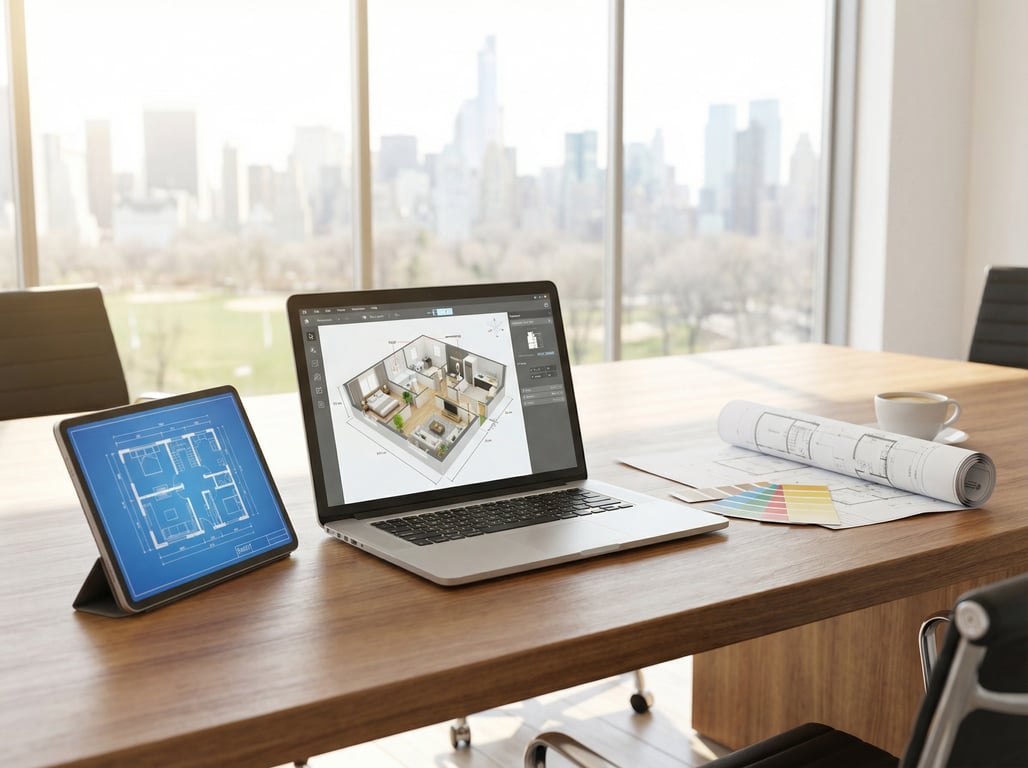
What a “floor planner” means in real estate (and what it doesn’t)
Definition (snippet-ready): A floor planner is a tool or workflow that turns property measurements (manual, scan-based, or imported) into a clean 2D or 3D floor plan you can share in a listing. In real estate, the goal is clarity for buyers—not construction-grade documentation.
2D vs 3D floor plans
- 2D plans prioritize readability: room labels, flow, and (optionally) dimensions. They’re usually the fastest deliverable for MLS and print.
- 3D plans add depth and context: they help buyers understand volume, sightlines, and adjacency—especially helpful for unconventional layouts.
A practical rule: if the listing needs speed and clarity, lead with 2D; if it needs spatial understanding (split levels, additions, open concepts), consider 3D as an add-on.
Floor plan creator vs CAD vs ‘home design software’
- A floor plan creator is optimized for quick layout output (2D/3D) and shareable files.
- CAD is for precision drafting and construction documentation (often overkill for listings).
- Home design software focuses on remodel concepts (materials, furnishings, before/after visuals). It can include floor plans, but the primary goal is usually design visualization.
Where floor plans fit in the listing marketing stack
Think of floor plans as the bridge between:
- Listing photos (emotion + finishes)
- Video/3D tours (movement + story)
- Floor layout (orientation + decision-making)
When you’re coordinating multiple visuals (plans, photos, renovation concepts), it also helps to understand what a digital media renderer is in real estate and how these outputs get produced and reviewed.
Quick checklist: what agents should look for
Use this as your evaluation list for any floor planner, floor layout software, or software for creating floor plans.
Checklist (snippet-ready): Best floor planner for real estate should have…
- Fast creation: a usable plan in minutes, not hours
- Flexible accuracy: manual draw + measurement entry, and/or scan-to-plan options
- MLS-friendly outputs: printable files, web sharing, and clean branding controls
- Easy sharing: links, embeds, and client approval workflows
- Pricing fit: pay-per-plan or subscription that matches your listing volume
- Clear licensing: usage rights for marketing, re-use, and agent/broker ownership
Speed: create a usable plan in minutes
For listing work, “usable” usually means:
- walls + room labels
- basic door openings (optional)
- consistent styling and readable typography
Avoid tools that require you to model furniture and finishes just to export a simple 2D plan.
Accuracy options: scan, manual draw, measurements
Most agent workflows fall into three lanes:
- Manual draw (fastest start, depends on your measurements)
- Measurement-driven (you enter lengths; tool keeps walls aligned)
- Scan-assisted (higher accuracy potential, requires capture time and compatible process)
If accuracy is mission-critical (e.g., high-value properties, unusual footprints), choose a workflow that supports measurement constraints and revisions without starting over.
Outputs: print-ready, MLS-friendly, branded/unbranded
Prioritize tools that can export:
- PDF for print/email
- PNG/JPG for MLS and social
- Branded and unbranded variants (common compliance requirement)
If you market across multiple channels, check whether the tool supports consistent aspect ratios and clean margins so your plan isn’t cropped in portals.
Sharing: links, embeds, client approvals
Look for:
- share links that work on mobile
- simple client feedback (comments/approvals)
- version control (so you don’t upload the wrong revision to MLS)
Pricing: pay-per-plan vs subscriptions
A quick way to decide:
- Low volume / uneven listings → pay-per-plan is often safer
- High volume / consistent pipeline → subscription can reduce per-listing cost
- Team/brokerage → centralized subscription can enforce standards and avoid “everyone uses something different”
Licensing & usage rights for listings
Ask (and confirm in terms):
- Can you use the output in MLS, paid ads, and print?
- Can you re-use the plan if you re-list the property later?
- Who owns the final image files?
- Are there restrictions on editing, removing watermarks, or distributing to third parties?
Best floor planner options by scenario
Because features and pricing change frequently, the safest way to pick the “best floor planner” is to match the tool category to your listing scenario—then compare specific products within that category.
Best for simple 2D listing floor plans
Choose a 2D-first floor plan creator when you need:
- fast turnaround for standard homes/condos
- clean black-and-white or light-color plans
- straightforward exports (PDF + PNG)
What to test in a trial:
- How quickly you can draw a 3-bed, 2-bath from measurements
- Whether labels auto-adjust and remain readable
- How easy it is to correct a single wall length without breaking the whole layout
Best for 3D walkthrough-style floor plans
Choose 3D-capable floor planner software when:
- the layout is hard to understand from photos alone
- ceiling height changes, split levels, or additions create confusion
- you want a “walkthrough” feel without producing a full 3D tour
What to test:
- Does 3D generate from the same 2D plan (single source of truth)?
- Can you export both 2D and 3D assets without rebuilding?
- Are 3D visuals clean and neutral (so they don’t misrepresent finishes)?
Best budget/free option (tradeoffs)
A free house floor plan creator can work if you only need occasional plans and you can accept limitations like:
- watermarks
- limited export formats
- lower resolution outputs
- fewer branding controls
If you’re using free tools for listing deliverables, verify that the export is legible on mobile and acceptable for your MLS rules (some require no watermarks or certain dimensions).
Best for teams/brokerages (collaboration & brand controls)
Brokerage and team workflows benefit from:
- shared templates (consistent look)
- role-based access (agent vs admin)
- brand controls (fonts, colors, logo/no-logo)
- centralized storage and naming conventions
A good team setup reduces listing-day chaos: one person captures/collects measurements, another produces and exports, and a lead approves before syndication.

How to choose between a floor plan creator and a home design tool
Many agents end up needing both: a floor planner for clarity and a design tool for renovation concepts.
If your goal is clarity for buyers (floor plan)
Pick a floor planner (or floor layout software) if you need:
- accurate-enough room sizes and relationships
- quick 2D layouts for MLS
- neutral visuals that don’t imply finishes you can’t guarantee
This is your “reduce confusion” tool.
If your goal is renovation visualization (before/after)
Pick home design software when the listing needs concept help:
- showing how to open a kitchen
- staging a vacant property
- illustrating a potential ADU or office conversion
For a deeper look at these workflows, see computer software for home design for real estate use cases and our roundup of the best interior design apps.
When you should use both (common workflow)
A simple, repeatable workflow:
- Create the base 2D plan (fast, accurate enough)
- Publish it as the listing floor plan (branded/unbranded as needed)
- Duplicate the layout for concepts (renovation option A/B)
- Add concept visuals (furnishings, finishes, or a renderer-produced set)
- Get client approval before posting concept images publicly
This keeps your “truth” asset (the plan) separate from your “possibility” assets (renovation concepts).
Decision tree mini-table (selection snippet)
| Your situation | Choose this type first | Why |
|---|---|---|
| Solo agent, standard listings, need speed | 2D floor plan creator | Fastest MLS-ready deliverable |
| Layout is confusing (split-level/addition) | 2D + 3D floor planner software | Adds spatial clarity without a full tour |
| Tight budget, occasional use | Free/budget floor plan creator | Accept tradeoffs, verify export quality |
| Team/brokerage, multiple contributors | Collaboration-focused floor planner | Templates, permissions, brand consistency |
| Seller wants “what if we renovate?” | Home design tool (+ plan) | Better for before/after concepts |
Common mistakes that get floor plans rejected or ignored
Wrong scale / missing dimensions
Common pitfalls:
- mixing units (ft vs m)
- inconsistent wall thickness that makes rooms look distorted
- omitting key dimensions when your market expects them
If you include dimensions, keep them consistent and avoid clutter—buyers want orientation, not a construction set.
Overly ‘designy’ plans that confuse buyers
A floor plan for marketing should be:
- neutral
- readable on mobile
- clear room labels (Bed 1, Kitchen, Living)
Avoid heavy textures, dark backgrounds, or furniture that makes rooms look smaller than they are.
File size, format, and watermark issues
To prevent upload problems:
- export PDF for print and PNG/JPG for web
- keep image dimensions large enough for zoom (without huge file size)
- avoid watermarks if your MLS or brokerage rules prohibit them
Not matching the photos/room count
Nothing erodes trust faster than inconsistencies:
- plan shows 3 bedrooms but listing says 4
- labeled “Dining” but photos show it staged as an office
- missing a basement, garage, or addition shown elsewhere
Before publishing, do a quick cross-check against the photo set and public remarks.
Key takeaways
- Keep the page agent-focused: listing deliverables, turnaround time, compliance-friendly outputs, and client communication.
- Include a simple decision tree (agent solo vs team; 2D only vs 3D; scan vs manual).
- Avoid claiming specific tool features/prices unless verified; keep comparisons criteria-based if uncertain.
- Position floor plans as complementary to listing photos and virtual renovation visuals (conceptual, not product-led).
FAQ
What is the best floor planner for real estate listings?
The best floor planner is the one that produces a clean, MLS-friendly 2D plan quickly, with easy edits, reliable exports (PDF/PNG), and clear usage rights for marketing.
Is a floor plan creator the same as home design software?
Not exactly. A floor plan creator is optimized for fast, shareable layouts, while home design software is optimized for renovation and decor visualization (before/after concepts).
Can I use a free house floor plan creator for MLS listings?
Sometimes, but verify export quality, watermark rules, and licensing. Many free tools limit resolution or add branding that may not be acceptable for MLS or brokerage compliance.
What file format should floor plans be for real estate listings?
Use PNG/JPG for MLS and web uploads (easy compatibility) and PDF for print/email. Keep files readable on mobile and not excessively large.
Do buyers actually care about floor plans in listings?
Yes—especially when photos don’t clearly show flow. Floor plans reduce uncertainty, help buyers self-qualify faster, and can increase serious inquiries for well-laid-out homes.